App Screenshot
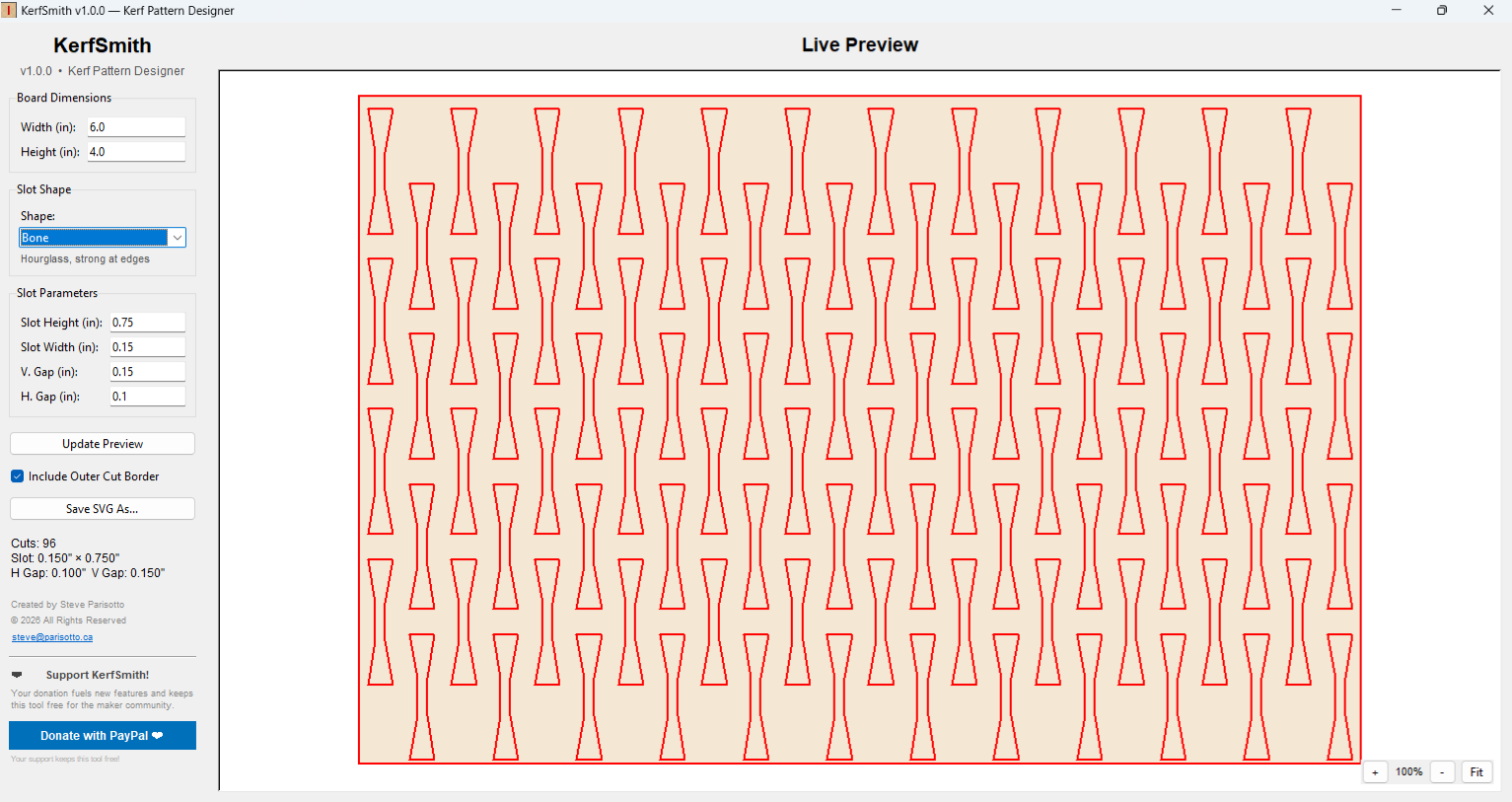
KerfSmith preview showing staggered Bone kerf pattern on a 6" × 4" board
Free Kerf Bending Pattern Designer for Laser Cutters
Completely Free v1.0.0Generate optimized kerf patterns in seconds — 10 shapes, live preview, SVG export.
python main.py •
View on GitHub
Both versions are completely free with identical core features
web-app.html — Run in any browser
KerfSmith.exe — Standalone Windows app
KerfSmith preview showing staggered Bone kerf pattern on a 6" × 4" board
Purpose-built for laser hobbyists, makers, and production shops
Line, Ellipse, Rectangle, Diamond, Bone, Stadium, Hexagon, Chevron, Wave, Cross—each optimized for different bending characteristics.
Offset rows produce smoother bends than aligned grids. Full manual control over slot height, width, and horizontal/vertical gaps.
See every cut in real time. Zoom with Ctrl+scroll, pan by dragging. Inspect slot placement down to the pixel.
Save patterns as SVG files in real inch coordinates. Red stroke, ready for LightBurn, LaserGRBL, or any laser software.
Optionally include a perimeter cut line around the board. Toggle on/off with one click.
No subscriptions, no watermarks, no data collection. Built by a maker for the maker community.
Each slot shape serves a different bending purpose
Simple slot, max bend per cut
Rounded, reduces stress risers
Rounded corners, deep bends
Pointed ends, excellent bending
Hourglass, strong at edges
End-caps, very common
Six-sided, strong & flexible
V-shape, interlocks when bent
S-curve, decorative + functional
+ shape, bends two directions
Everything you need to know about kerf bending with KerfSmith
Kerf bending is a technique where a series of slots (kerfs) are cut into material, allowing it to bend along the slotted line. The remaining material acts as a hinge, and the spacing of the slots determines the smoothness of the bend. Typical for creating curved lamp shades, furniture, and architectural models from plywood.
KerfSmith works with any thickness. Common choices are 1/8" (3mm) and 1/4" (6mm) plywood for lamp shades and decorative projects. Thicker material requires wider kerf spacing; thinner material allows tighter bends.
Start with these guidelines: horizontal gap approximately 1.5 times material thickness, slot height about 65% of board height (leaves tabs on top and bottom), slot width around 0.020" for a typical laser kerf. Adjust from there — tighter spacing = smoother bend but weaker structure.
Open LightBurn, go to File → Import, select your .svg file. The kerf slots will appear as red vectors set to cut. The board outline (if enabled) will also be a red cut line. Adjust your layer settings and hit go.
Yes, always. No ads, no watermarks, no data tracking, no subscription. If you find it useful, consider buying me a coffee to support development.
Built with ♥ by a maker for the maker community
Your donation fuels new features and keeps this tool free for everyone.
❤ Donate with PayPal© 2026 Steve Parisotto — All Rights Reserved